PHP scriptVersion 9.3.0

Panda Resort 9

A PHP website and booking system for a single hotel, resort, villa or guest house. Take direct room bookings without booking commission.

Buy for $69 Live demoAdmin demoDocumentation

Explore the admin demo with username admin and password admin123.

Panda Resort 9 — Hotel booking system & CMS for a single hotel
Regular licence
$69
Extended licence
$299
Last update
7 October 2026
Runs on
Pandao CMS 8 · PHP 8.2 – 8.5
Rating
4.36 / 5 (101 ratings)
Support
6 months included

Manage rooms, rates and availability, take online bookings and payments, synchronise platform calendars, and offer guest reviews and activities. A responsive property website is included, with everything installed in minutes.

Version 9 has been completely rebuilt on Pandao CMS 8, using the Panda Multi Resorts booking engine. Import rooms, rates, bookings, pages and customer accounts from versions 4 to 8 in one operation, preserving passwords and page URLs.

What it does

A complete website for your property

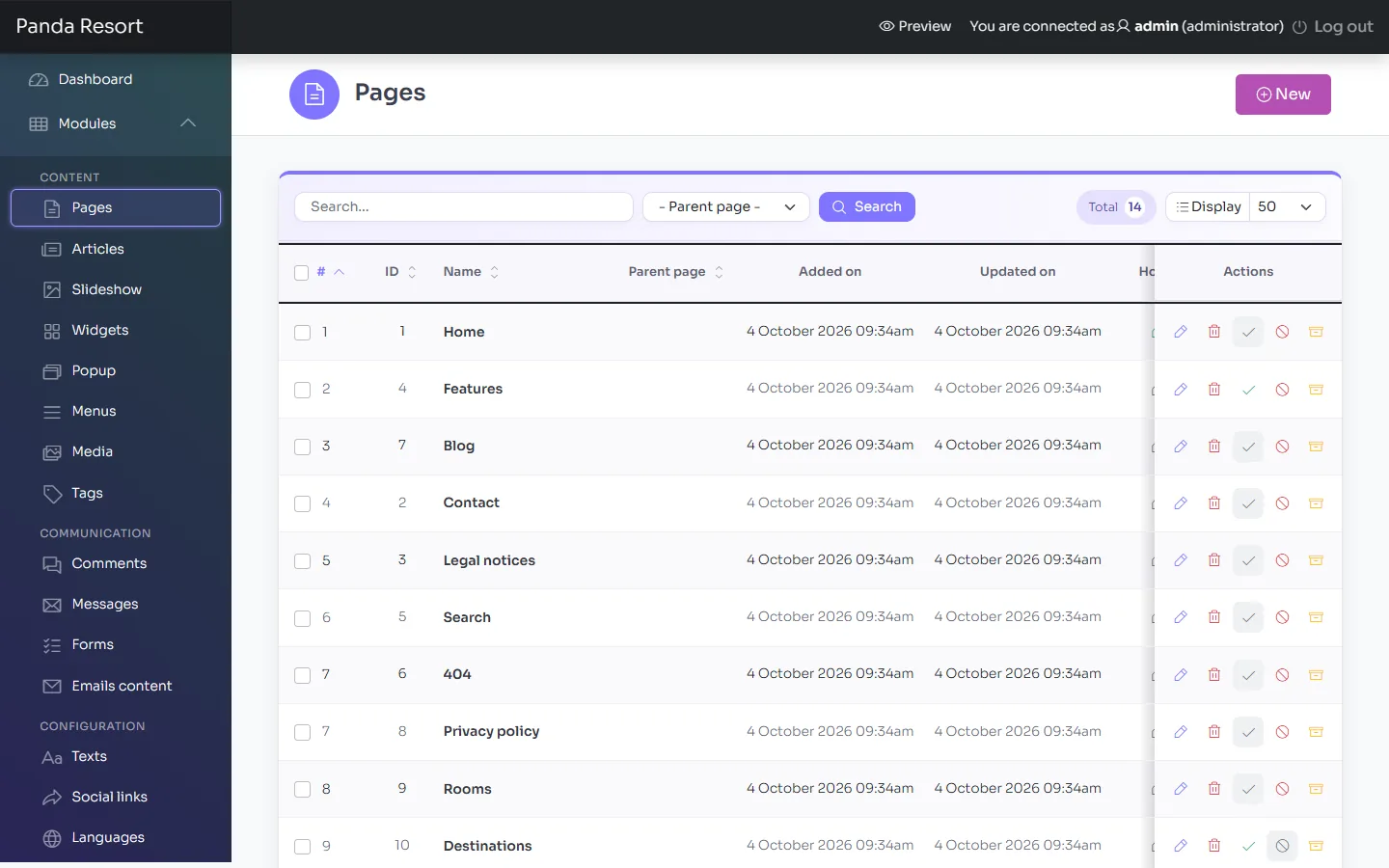
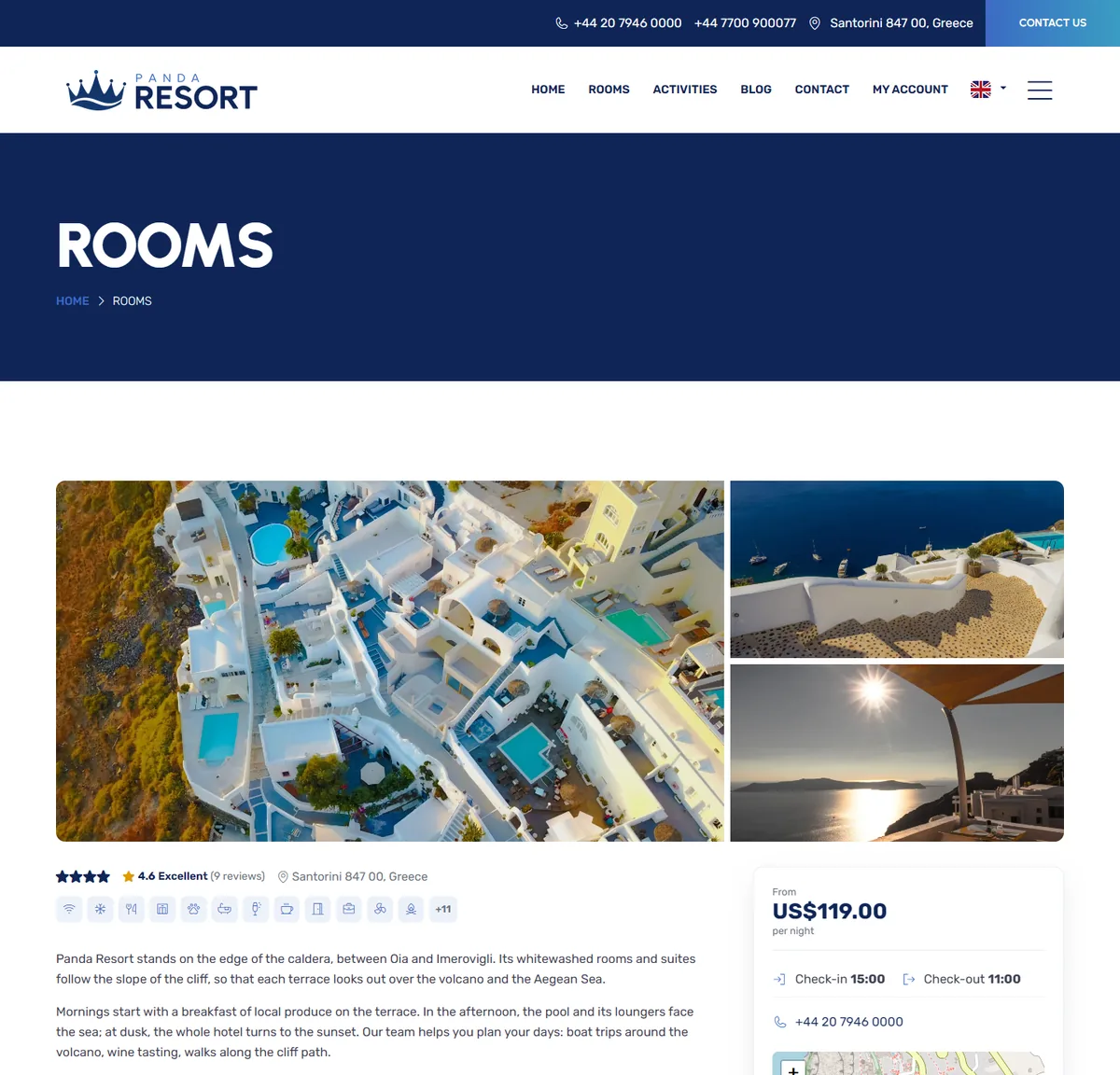
Showcase your property and rooms, with a stay search on the home page, activities, a blog, contact details and legal pages. Use your own logo and brand colours throughout.

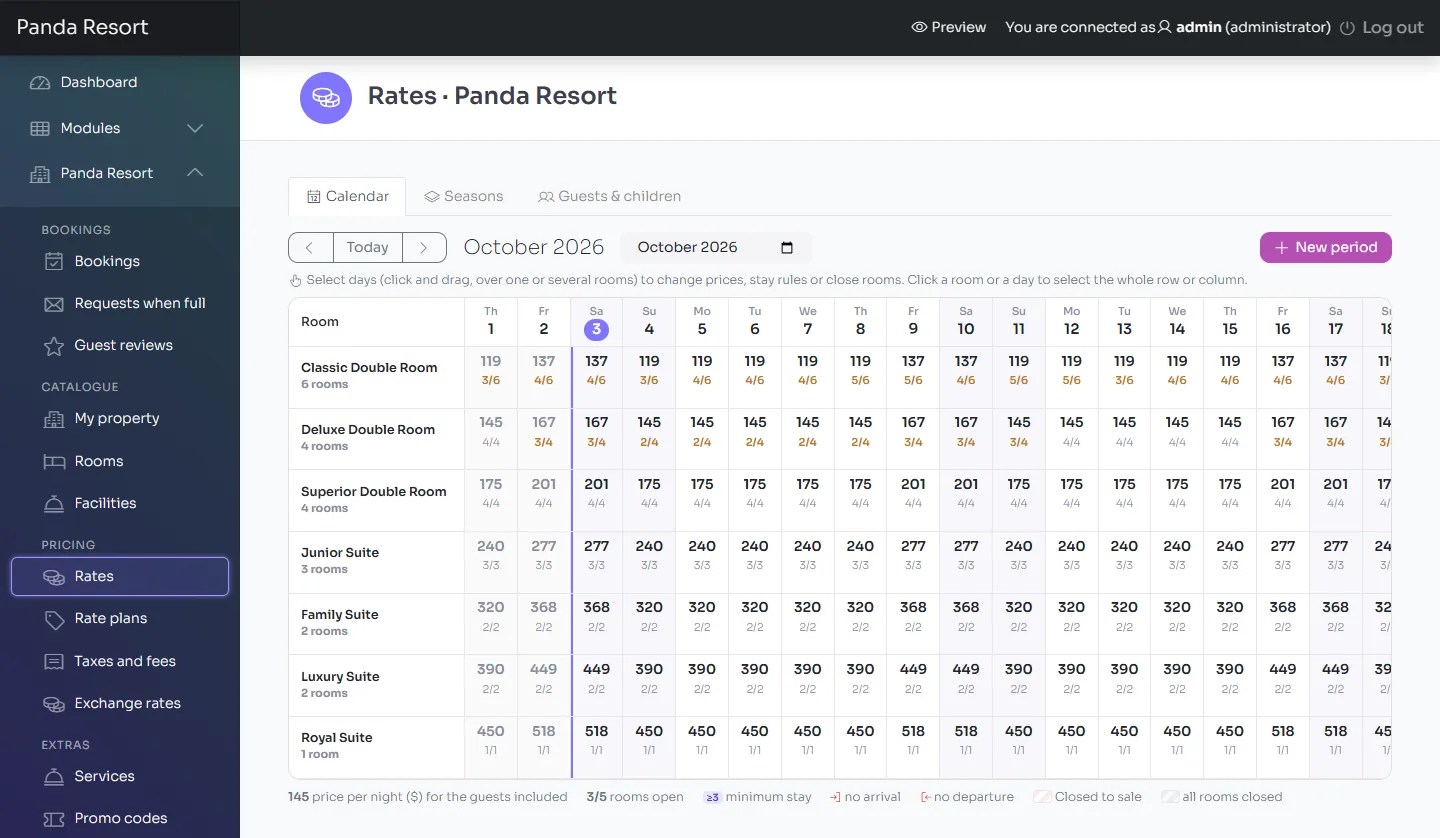
Rates at a glance

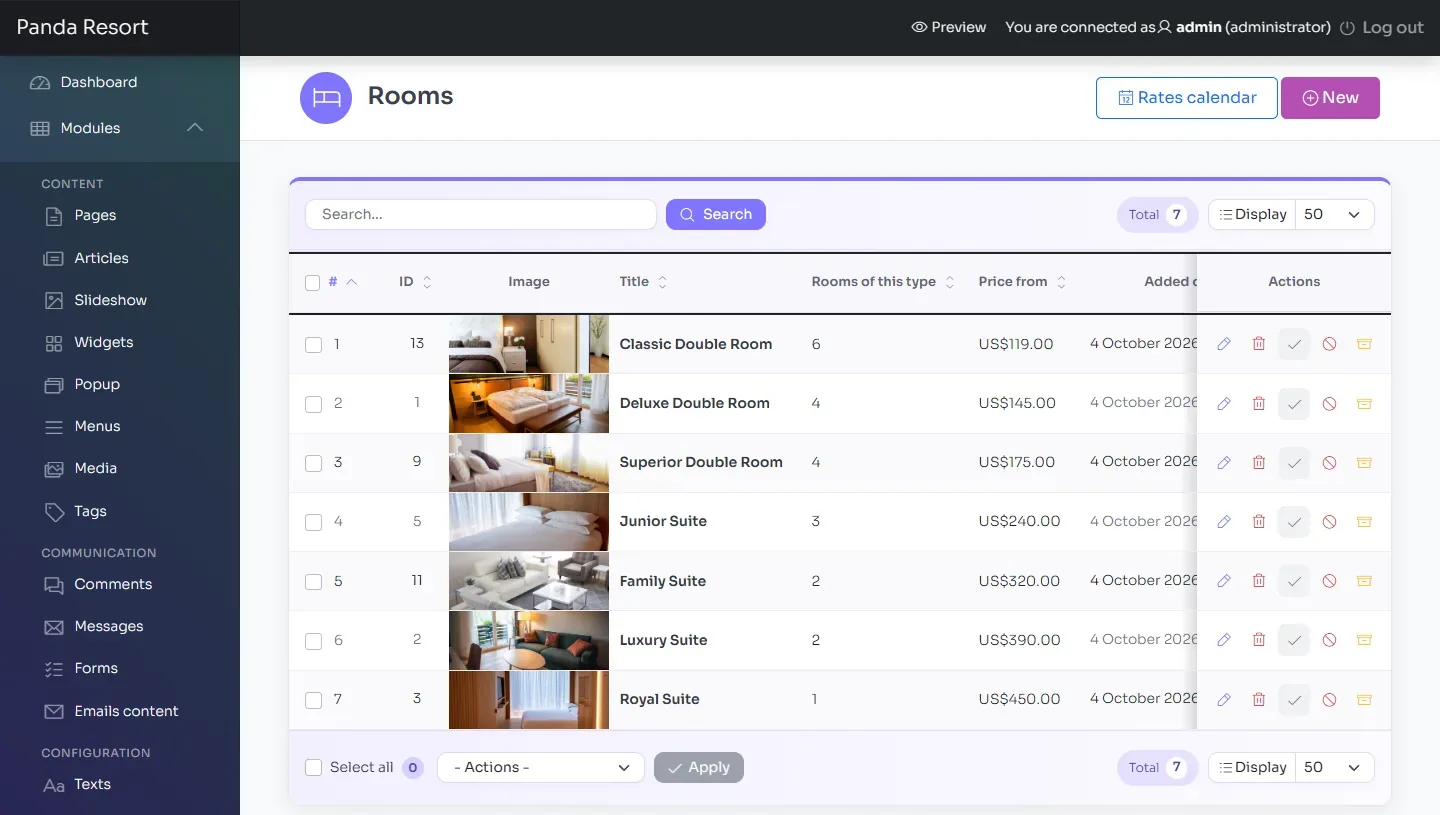
Manage rates and stay rules in a calendar, view seasons on a timeline, and set child prices by age. Copy a season to next year and adjust its prices in one click.

A familiar booking experience

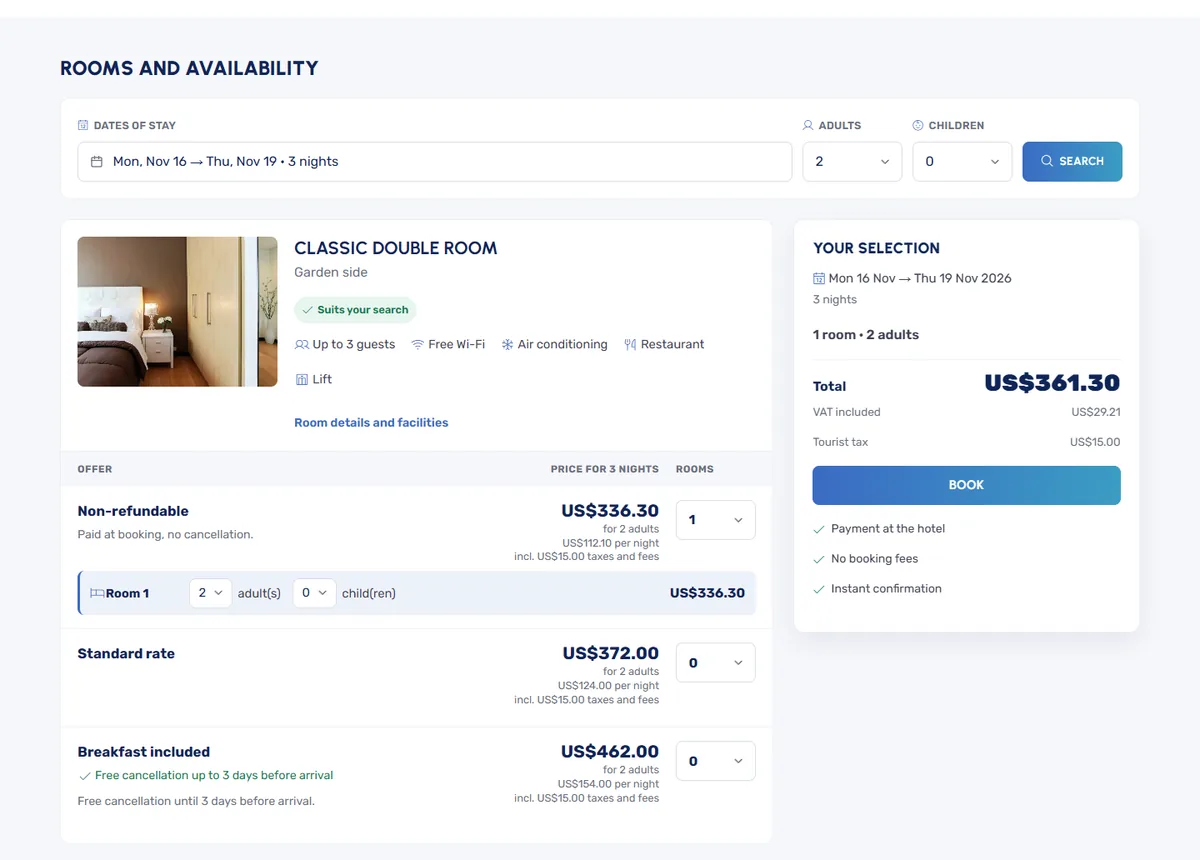
Guests compare rooms and offers, book several rooms together, add extras and activities, and pay online or at the property. Displayed prices include taxes and mandatory fees.

Flexible payments

Accept payments through Stripe Checkout (cards, Apple Pay, Google Pay), PayPal, bank transfer, cheque or at the property. Collect a deposit or the full amount, hold rooms during payment and refund eligible cancellations.

Calendar synchronisation

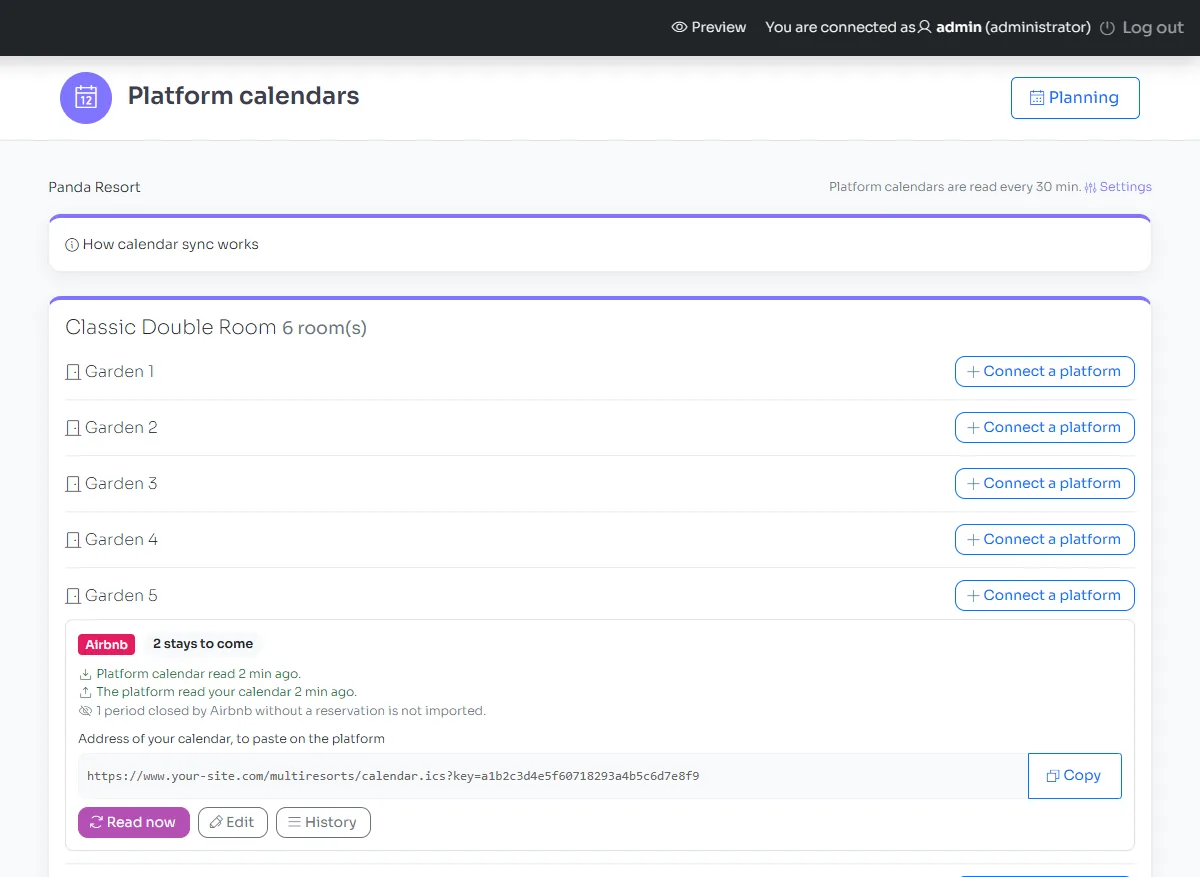
Synchronise each room’s availability with Airbnb, Booking.com, Vrbo and other platforms that support iCal. Conflicts are flagged in the room planner and by e-mail.

Bookings at a glance

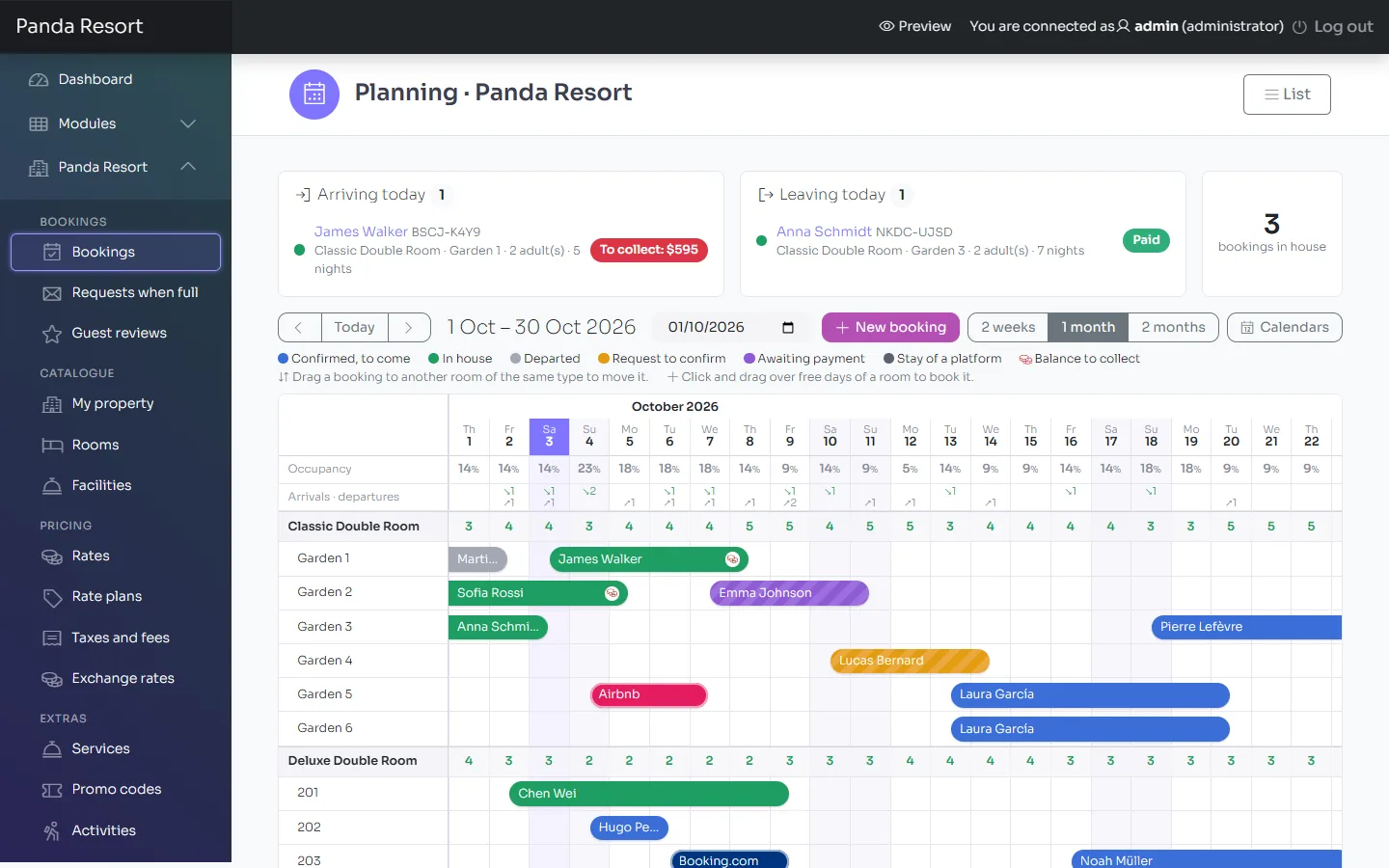
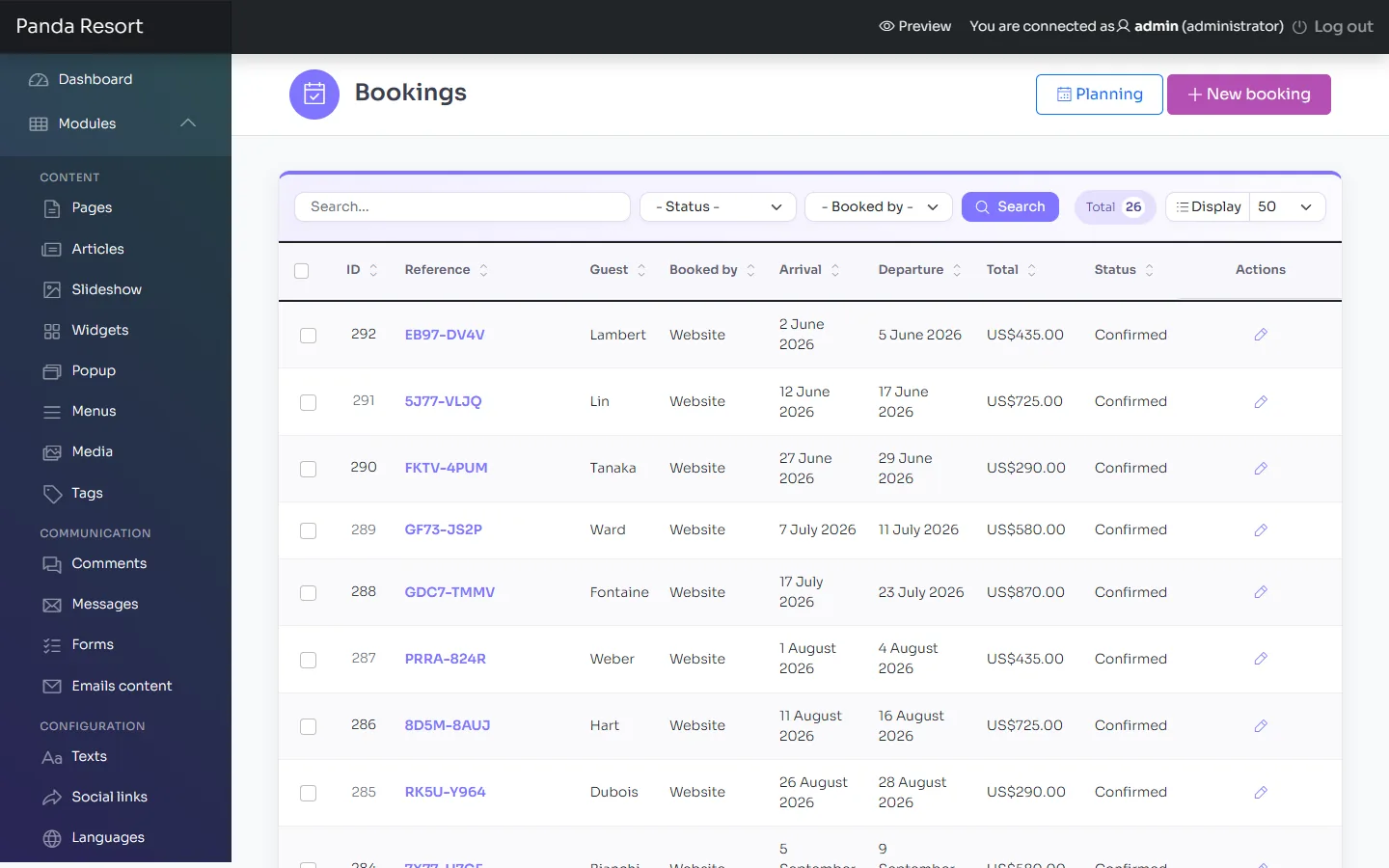
See every room’s availability day by day on a desktop or tablet. Drag bookings to move them, select available dates to create a booking, and use the editor for bookings taken by phone.

Verified reviews

Guests are invited to review their stay. Moderate their reviews and publish your replies on your website.

Ready to grow

When you open a second property, Multi Resorts Add-on lets you manage both from the same website while keeping your existing data.

Screenshots

Features

Your property and rooms

  • Property details, photos, video, facilities, contact information and map on your site’s Rooms page
  • Room types with room numbers, occupancy limits, sizes and facilities
  • OpenStreetMap maps and directions, with no API key required
  • Activities and tours with dedicated pages, scheduled sessions and capacity limits, bookable with a stay or separately

Rates and availability

  • Rates calendar: nightly and weekday prices, minimum and maximum stays, arrival and departure days, room closures
  • Season timeline, with one-click copying to next year and price adjustments
  • Included guests, additional adult charges and child prices by age, set by property, room or period
  • Rate plans: non-refundable, breakfast included, early booking, last minute and dated promotions
  • Taxes and fees: VAT, tourist tax per guest per night with a minimum age, and fees per room or per stay
  • Mandatory and optional services, promo codes and prices displayed in the visitor’s currency

Booking engine

  • Stay search by dates, adults and children’s ages, with results on the Rooms page
  • Several rooms and offers in one booking, with the best room preselected, a live total and tax-inclusive prices
  • Availability calendar, alternative dates and an enquiry option when no rooms are available
  • Instant confirmation or confirmation on request
  • “Complete your booking” card and payment reminders
  • Online cancellation during the free cancellation period, with automatic refunds; customer accounts

Payments

  • Stripe Checkout (cards, Apple Pay, Google Pay), PayPal, bank transfer, cheque and payment at the property
  • Deposit options: a percentage, the first night, a fixed amount or the full stay; rooms held during payment
  • No booking commission: payments go directly to your own Stripe and PayPal accounts

Administration

  • Dashboard with alerts, a room planner with drag and drop (mouse and touch), and an editor for phone bookings and changes
  • Room-by-room iCal synchronisation with Airbnb, Booking.com, Vrbo and other compatible platforms, with conflict detection and alerts
  • Review invitations after each stay, with moderation and replies
  • Team accounts with assigned roles; Diagnostic screen, automatic tasks and one-click database updates
  • Admin panel in English, French, Spanish, Portuguese, Dutch, Russian and Turkish

Website

  • Responsive theme with widgets managed from the admin panel: stay search, featured rooms, slideshow, banners and blog
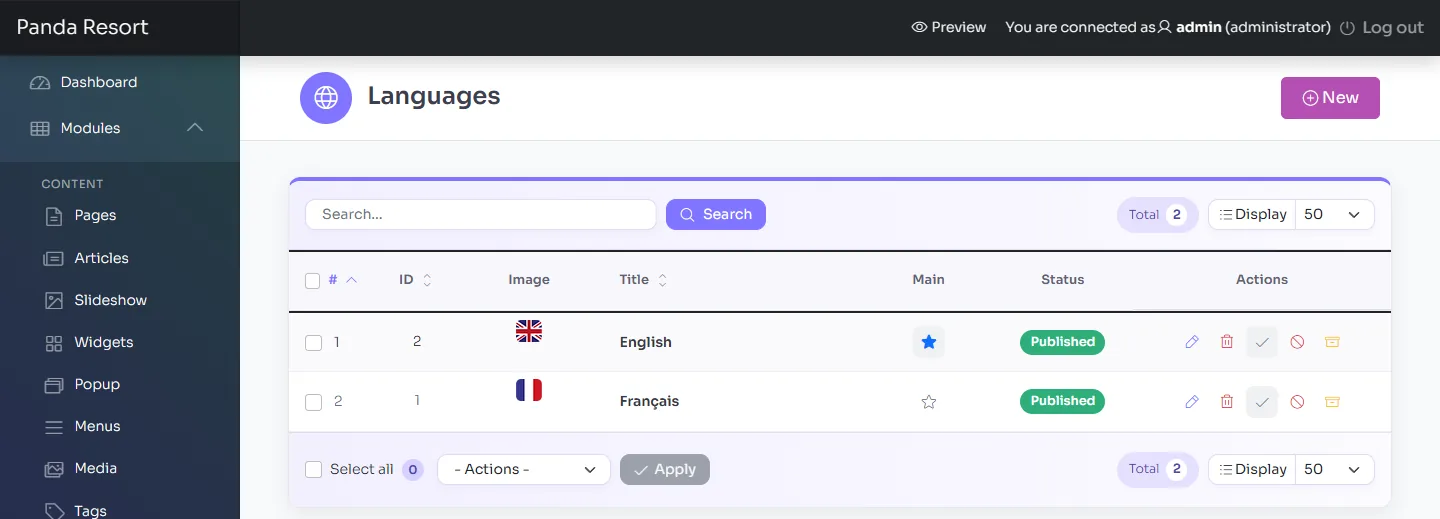
  • Unlimited languages, including right-to-left support, with translatable text and e-mail templates
  • Logo and brand colours configured in Settings
  • Clean URLs in each language, title tags, sitemap and robots directives
  • Cookie banner with “Reject all”, a pre-filled privacy policy, account deletion and invisible reCAPTCHA v3

Requirements

  • PHP 8.2 to 8.5, with the curl, dom, fileinfo, gd, mbstring, openssl, pdo and pdo_mysql extensions (intl recommended)
  • MySQL 5.7 or later, or MariaDB 10.3 or later
  • Apache with mod_rewrite, or IIS with URL Rewrite
  • HTTPS for online payments; a cron job is recommended

What's included

  • Pandao CMS 8 and Panda Resort 9, ready to upload with PHP libraries included (no Composer required)
  • Installation wizard and complete demo content: a property on the caldera of Santorini, with rooms, rates, pages, articles and photos you can use on your site
  • Import tool for Panda Resort 4 to 8
  • Complete documentation included in the package and available online

Upgrading from version 8

Install version 9 alongside your current site, then import its settings, languages, property details, rooms, rates, services, activities, customer accounts with their passwords, bookings and payments, pages, articles, menus and media. Page URLs are preserved. The importer leaves your old site intact; switch your domain to the new site when you are ready.

Read the upgrade procedure

Frequently asked questions

Why won't the installation wizard open, or why do all pages show “Not found”?

Check that the .htaccess files were uploaded. They are hidden, so enable “show hidden files” in your FTP client. If they are present, ask your host to enable mod_rewrite and allow .htaccess files with AllowOverride All. On IIS, URL Rewrite uses the web.config file.

Why do I get a blank page or a “500 error”?

Check that your PHP version and extensions meet the requirements, then look at the PHP error log in your hosting panel. To display the error temporarily, add define('PMS_DEBUG', 1); to config/config.php. Remove it once you have identified the issue.

Why is the Panda Resort menu missing after my first login?

Open Extensions and click Enable for Panda Resort. The message shown at your first login explains why the extension could not be enabled.

Why are e-mails not being delivered?

Enter your mailbox’s SMTP settings in Settings › Email settings and use a sender address on your own domain. Check the recipient’s spam folder too. SPF and DKIM records for your domain help improve delivery.

Why does an online payment fail or not appear in the booking?

Your site must use HTTPS. Both Stripe keys must be in the same mode: test or live. The webhook must be configured for checkout.session.completed and checkout.session.expired. For PayPal, the Sandbox setting must match your application credentials.

Why are unpaid bookings not cancelled or calendars not updated?

Automatic tasks are not running on time. Check synchronisation on the Diagnostic screen and set up the cron job it recommends. See Automatic tasks for details.

Why is my availability not updating on a booking platform?

Each platform refreshes imported calendars on its own schedule, so changes may not appear immediately. Check that you have supplied the calendar URL for the correct room and that your site is accessible over HTTPS.

Can I upgrade from Panda Resort 8 without losing my data?

Yes. Install version 9 alongside your current site with a new, empty database, then run the importer. It transfers settings, property details, rooms, rates, bookings, accounts with their passwords, pages and media, preserving page URLs. The old site is left intact. Follow the step-by-step documentation.

Can I add the booking engine to my existing Pandao CMS 8 website?

Yes. Panda Resort Add-on provides the same engine separately for websites running Pandao CMS 8.2 or later. Booking features appear for visitors only when you publish your property.

Can I add a second property later?

Yes. Upload Multi Resorts Add-on over your existing site to manage several properties while keeping all your data. There is no need to reinstall or import anything. See the documentation.

Still need help? Visit the support page.

Panda Resort 9.3.0 7 October 2026

  • fix With Pandao CMS 8.3.0: every page opens on the hosts that run PHP as CGI or FastCGI, where only the home page did
  • fix A booking request, in a hotel that confirms each booking itself, is no longer sent to the payment page: the prepayment is asked once the hotel accepts the request

Support for Panda Resort

Contact us through the product's Support tab on CodeCanyon. Your purchase includes 6 months of support, with an option to extend it to 12 months. Tell us what you did, what you expected and what happened.

Open the support tab What support covers