Website & CMSJavaScriptNew

PageFlow 2JavaScript drag and drop page builder for Bootstrap 5

A drag and drop page builder you add to your own website, CMS or web app with two lines of JavaScript. Your users build the pages; you get clean, responsive Bootstrap 5 HTML.

For developers and agencies whose clients need to build pages without writing code.

$29 one-off payment free updates 6 months of support

Buy on CodeCanyon for $29 Live demoDocumentation

PageFlow 2 — Drag and drop page builder for Bootstrap 5
Version
2.0.0 · changelog
Last update
22 October 2026
Runs on
Modern browsers · Bootstrap 5 · any back end
Support
6 months included

Your users drag blocks and ready-made sections onto a canvas that loads your site's own stylesheets, then type straight onto the page. PageFlow hands you readable Bootstrap 5 markup with no trace of the editor, ready to save in your database and render with your theme.

It is plain JavaScript with no dependencies: no jQuery, no framework, no account or API key. The package includes the sources, a secure PHP upload handler, seven examples and full documentation. PageFlow is also the page builder inside Pandao CMS.

Drag and drop blocks and ready-made sections

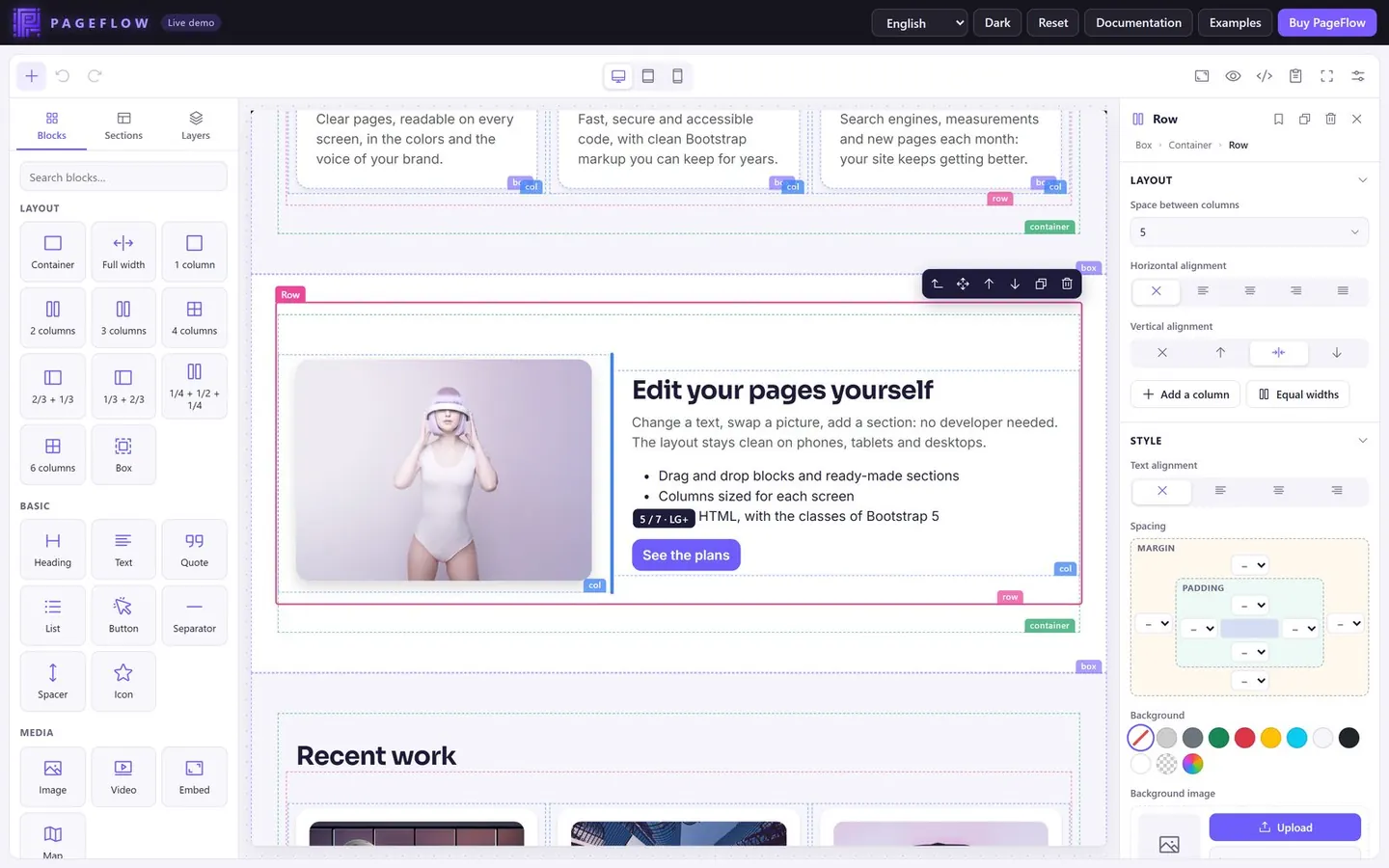
Drag a block or a whole section onto the page, and a single line shows where it will land. There are 27 blocks, from headings, buttons and images to cards, accordions and maps, and 13 ready-made sections: heroes, features, pricing, testimonials, FAQ, team, contact and more. You can also click to add a block, or tap it on a touch screen.

Ready-made sections in the PageFlow palette, beside the page being edited

Responsive previews with your own styles

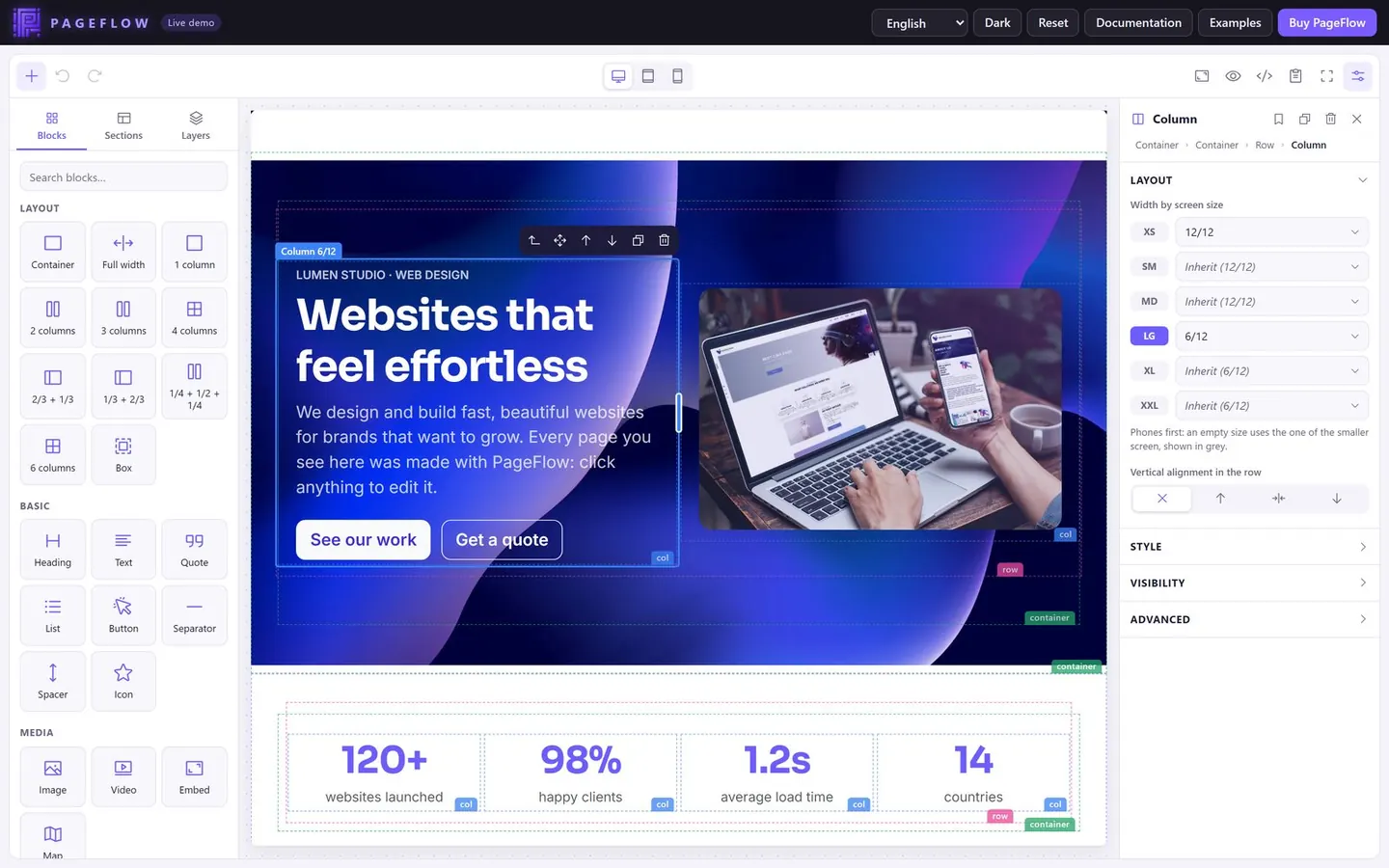
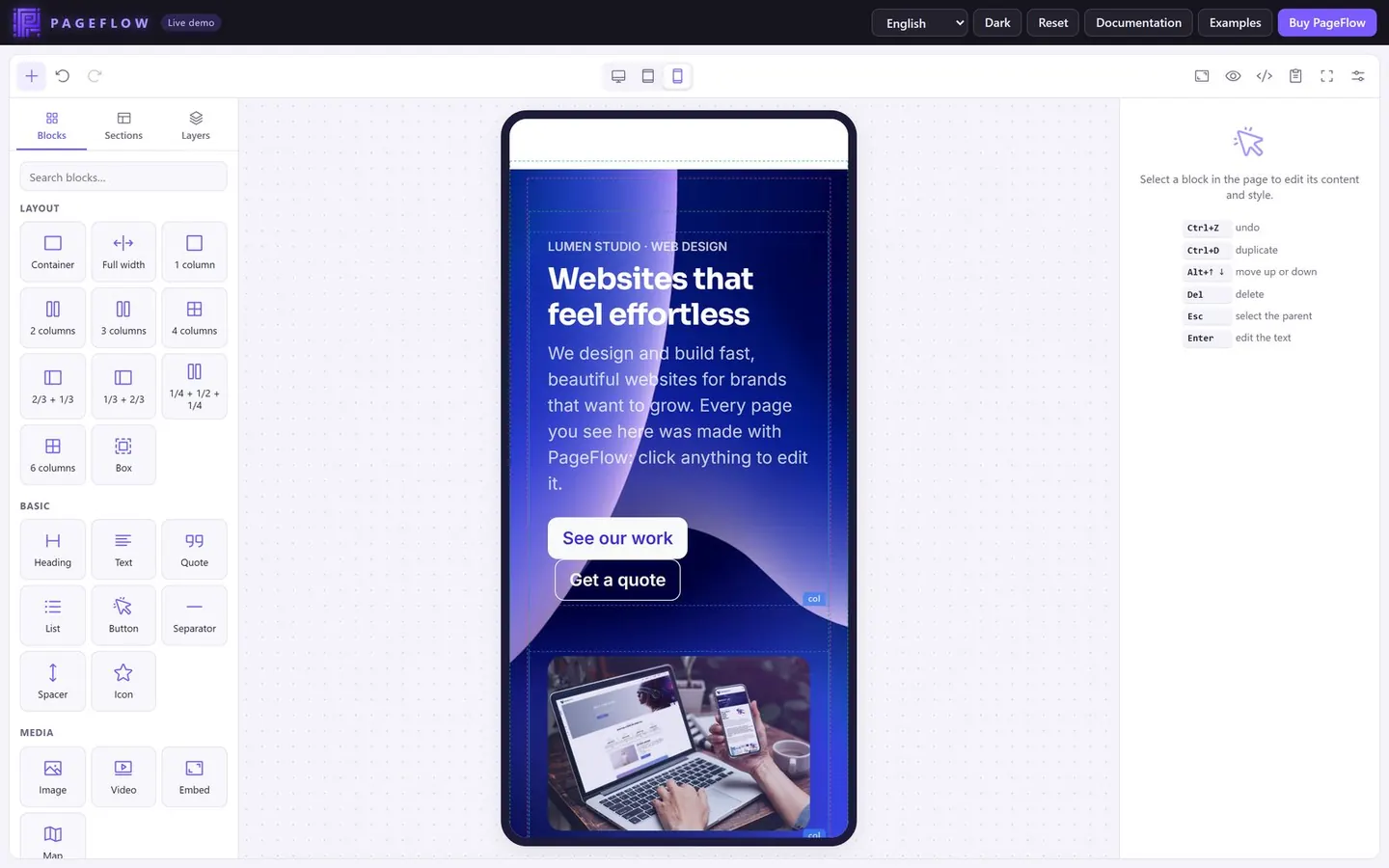
Pages are edited in a frame that loads your site's stylesheets, so Bootstrap breakpoints really apply: the desktop, tablet and phone previews show the actual layout. Drag the edge of a column to resize it, set a width for each screen size and hide blocks on the screen sizes you choose.

Phone preview of a page in PageFlow, with its columns stacked

Type on the page, style with a click

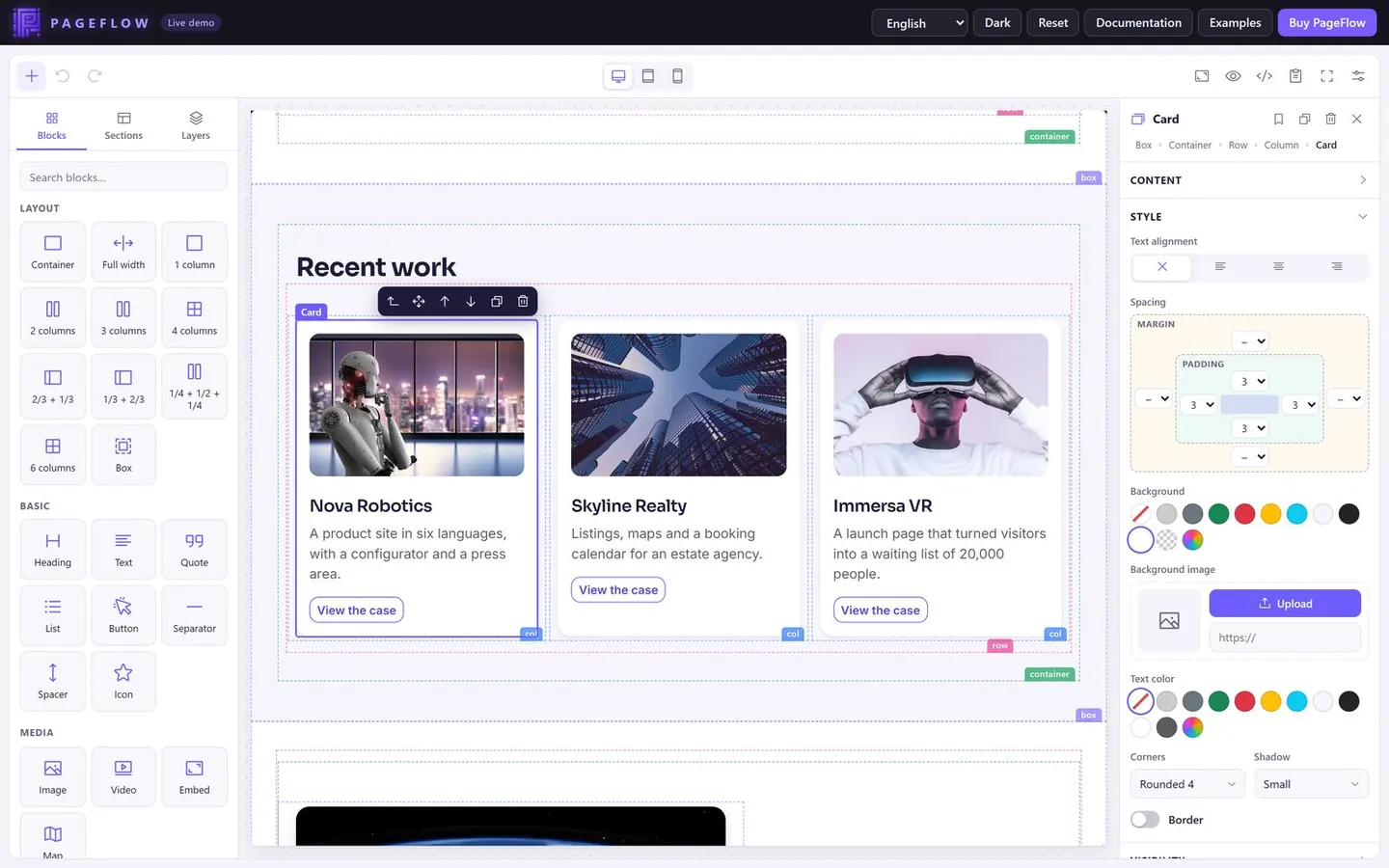
Edit text in place with PageFlow's own editor: headings, lists, links, alignment and tables, with clean pasting from Word or Google Docs. Set the spacing, colours, background image, corners and shadow of each block; settings use Bootstrap 5 utility classes wherever Bootstrap has one.

Style settings of a card: spacing, background, text colour, corners and shadow

Clean HTML and an API for developers

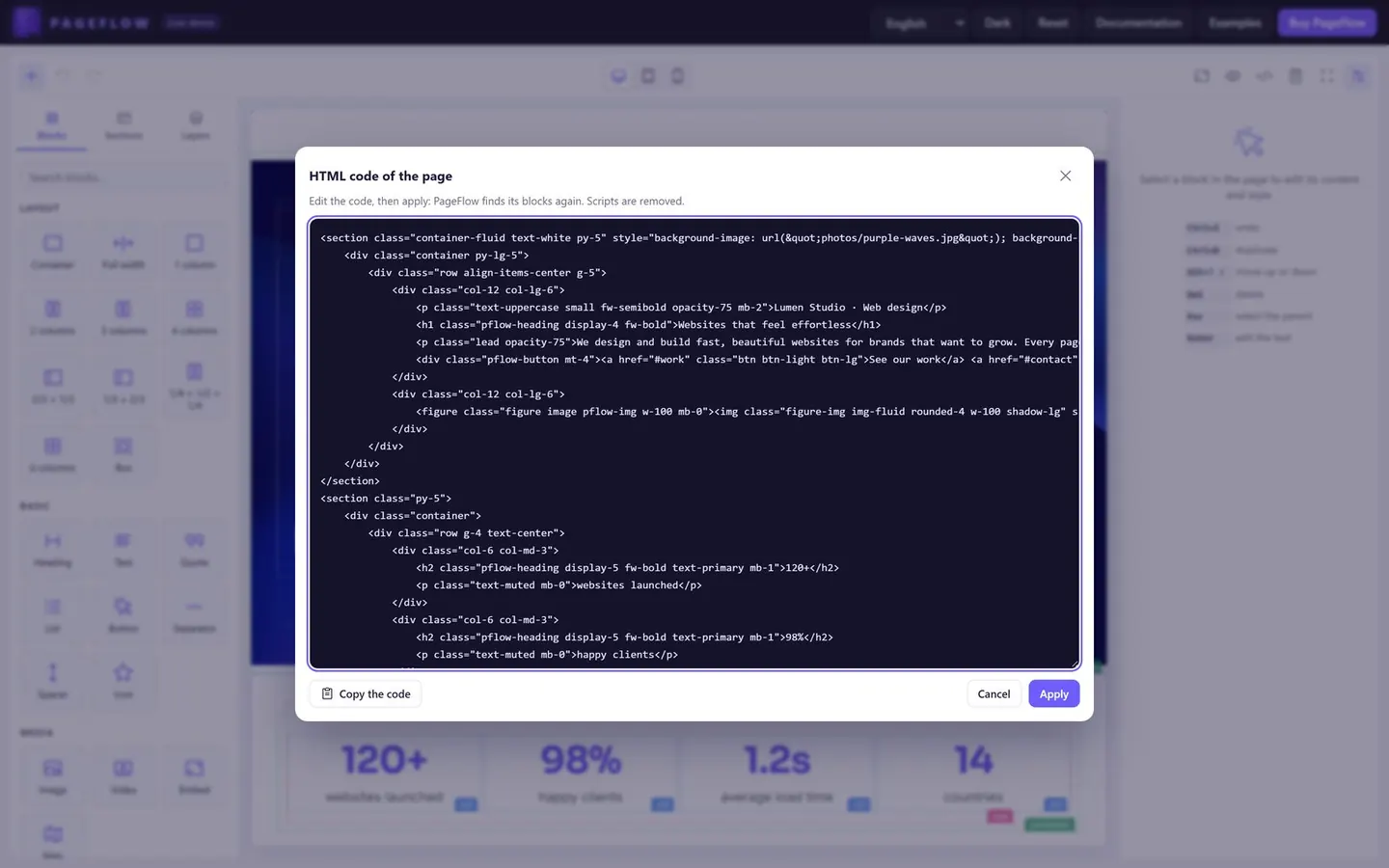
PageFlow writes readable, indented Bootstrap markup with nothing left over from the editor. It imports the pages you already have: what it recognises becomes blocks, and the rest stays as it is. Load one script, as an ES module or a global, then use its options, methods and events, register your own blocks and fields, or keep the jQuery syntax of version 1.

HTML code view of a page, with clean Bootstrap 5 markup

Also in PageFlow

Secure by default

Everything that enters the page is cleaned, whether typed, pasted or imported: no scripts, no event attributes, no javascript: links. Pictures are uploaded to your server, never stored in the page, and the included PHP handler checks what each file really contains, then saves a re-encoded copy under a random name.

No dependencies, any back end

One script of plain JavaScript, about 100 KB gzipped, with no jQuery, no framework and no account or API key. PageFlow returns the page as HTML, so you can save it with PHP, Node.js, Python or anything else. It runs under a strict Content Security Policy and works in React, Vue or any framework.

Built for everyday editing

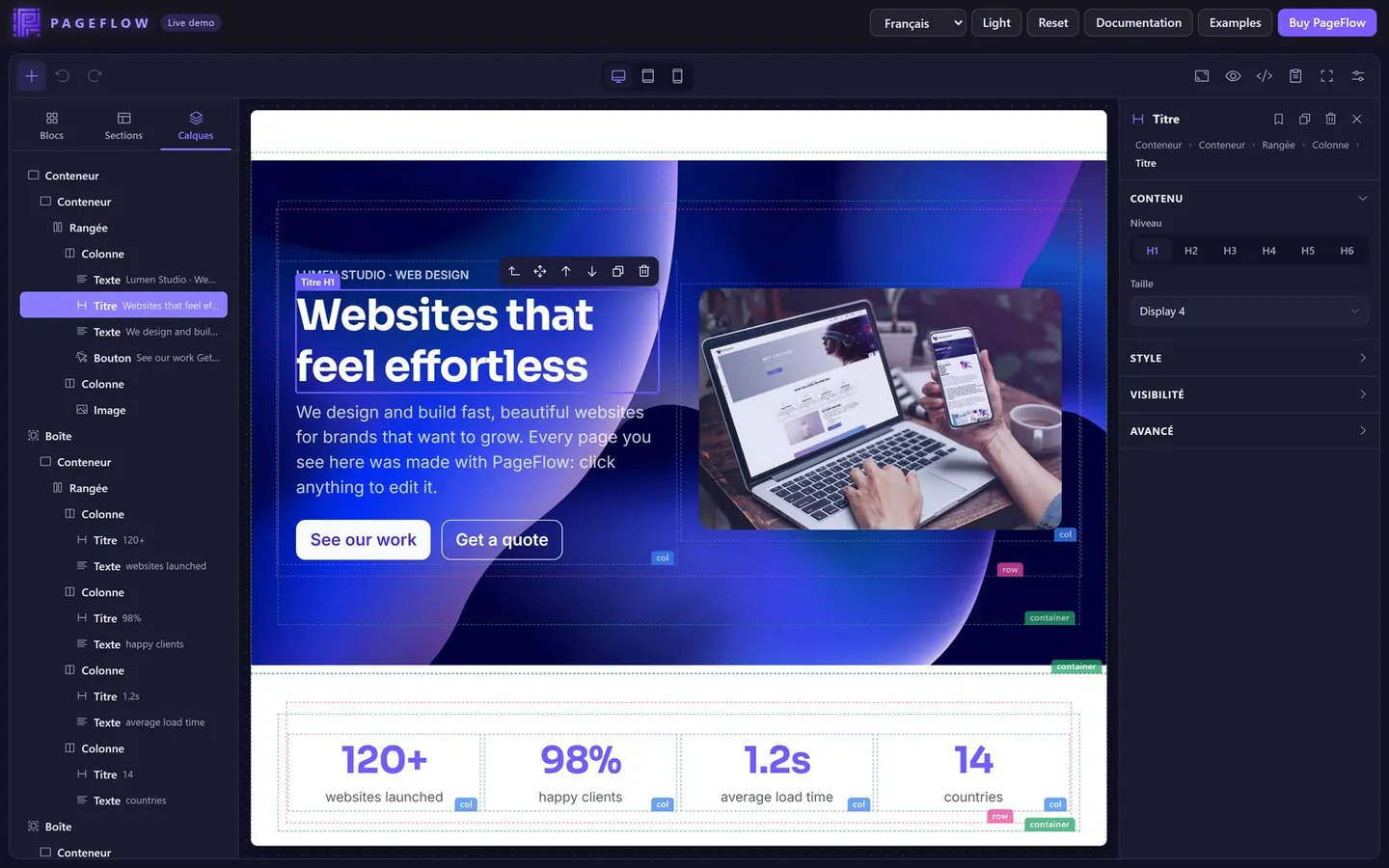
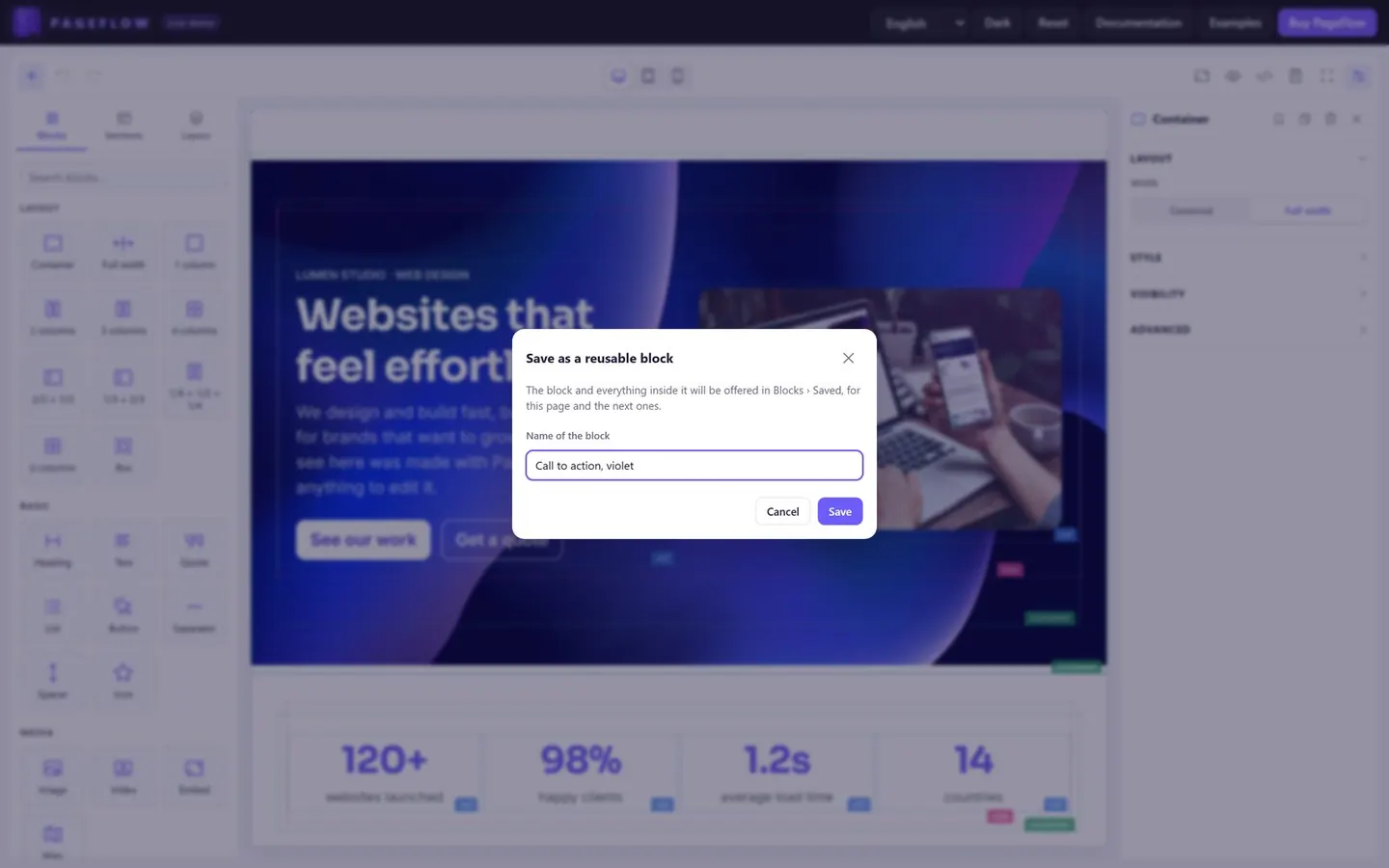
Undo and redo up to 100 steps, keyboard shortcuts, copy and paste between pages and browser tabs, a layers panel to reach any block, saved blocks to reuse, and optional browser drafts that bring your changes back after a crash or a closed tab.

Six languages, light and dark

The interface comes in English, French, Spanish, German, Italian and Portuguese, and you can add your own language. Choose a light, dark or automatic theme; right-to-left content is supported.

PageFlow screenshots

What's included with PageFlow

In the package

  • PageFlow 2 as minified and unminified builds, plus the ES module sources and their build scripts
  • Seven examples: a basic editor, a form, the options, your site's styles, a custom block, jQuery, and PHP upload and save
  • The secure PHP upload handler
  • Complete documentation, included in the package and available online

Requirements

  • A recent browser: Chrome, Edge, Firefox, Safari 15+ or Opera; no server is needed to run the editor itself
  • Bootstrap 5 CSS on the pages that show the content (Bootstrap's JavaScript is not needed)
  • For the included upload handler: PHP 7.4 or later with GD

Drag and drop page builder features

Editing

  • Drag and drop from the palette, or click to add; touch screens supported
  • A single drop line that follows the pointer, in containers, boxes and columns
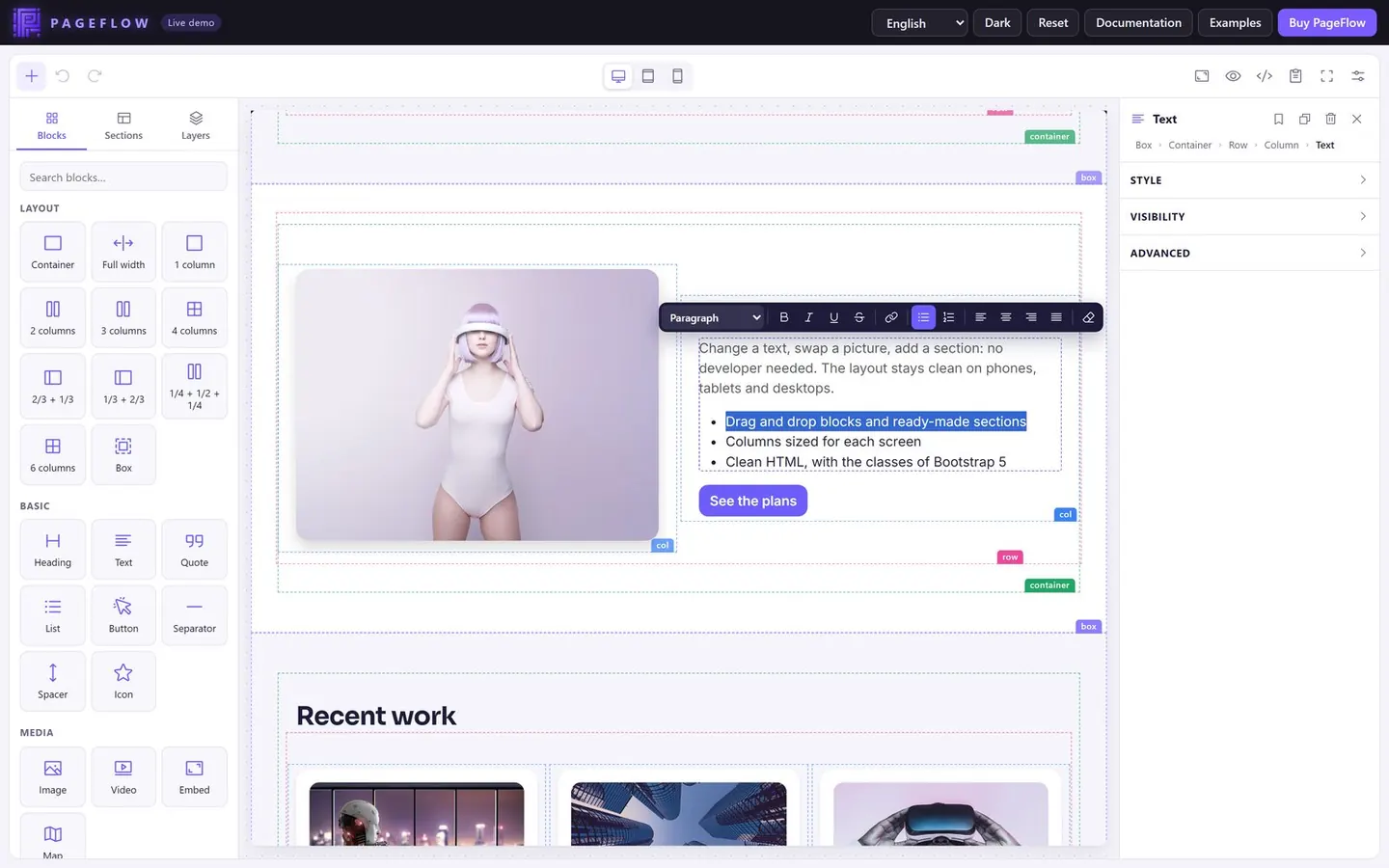
  • Built-in text editor: paragraph styles, bold, italic, links, lists, alignment and tables
  • Clean pasting from Word, Google Docs and web pages
  • A toolbar on each block to select its parent, move, duplicate or delete it
  • Undo and redo (100 steps) and keyboard shortcuts
  • Copy and paste blocks between pages and browser tabs
  • Layers panel with the outline of the page
  • Saved blocks to reuse on other pages
  • Optional browser drafts, offered for restore after a crash or a closed tab
  • Code view: edit the HTML and PageFlow turns it back into blocks
  • Preview without the editing guides, and full-screen mode

Blocks and sections

  • Layout: containers (centred or full-width), rows of 1 to 6 columns, 2/3 + 1/3, 1/3 + 2/3, 1/4 + 1/2 + 1/4, and boxes
  • Basic: headings, text, quotes, lists, buttons, separators, spacers and icons
  • Media: images with links and captions, YouTube, Vimeo and MP4 videos, embeds and maps
  • Components: tables, cards, accordions for FAQs, and raw HTML
  • 13 ready-made sections: two heroes, features, image and text, call to action, cards, testimonials, pricing, FAQ, key figures, team, contact and gallery
  • Your own blocks, fields and sections

Style and responsive

  • Spacing, theme or custom colours, background images, corners, shadows and borders
  • Desktop, tablet and phone previews with the real layout of your theme
  • Column widths for each screen size, and columns resized with the mouse
  • Blocks hidden on the screen sizes you choose
  • Anchors and CSS classes on any block

Pictures and media

  • Upload from the settings panel, drop a picture from the desktop or paste it
  • Secure PHP upload handler included; any other server language works too
  • Your own upload function or media library, through a single option
  • YouTube videos played from youtube-nocookie.com

For developers

  • Plain JavaScript with no dependencies, about 100 KB gzipped
  • ES module or global script; CSS injected by the script or loaded by your page
  • Options, methods and events; works inside forms, updating a field after each change
  • Your stylesheets in the canvas, so the page looks like your site
  • Pluggable text editor, such as CKEditor or TinyMCE
  • jQuery bridge with the PageFlow 1 syntax; works with React, Vue or any framework
  • Runs under a strict Content Security Policy (nonce)
  • Interface in English, French, Spanish, German, Italian and Portuguese; add your own language
  • Light, dark or automatic theme; right-to-left content

Security

  • No scripts, event attributes or javascript: links in the page, whatever its source
  • Uploads checked by their actual content, then re-encoded under random names in a folder set up to block scripts
  • CSRF token, same-origin check and an hourly upload limit
  • Removing a block never deletes a file from your server

Questions about PageFlow

Can I try it before buying?

Yes. The live demo is the full editor: drag blocks and sections, edit the text, resize columns, switch to the phone preview, view the HTML and upload a picture. Your changes stay in your browser, and uploaded pictures are deleted every night.

Which back end does it work with?

Any. PageFlow runs in the browser and gives you the page as HTML, which you save with PHP, Node.js, Python, .NET or anything else, in any database. Pictures are sent to an upload URL on your server: the package includes a secure PHP handler, and the documentation describes what a handler in another language must return.

Do my pages need Bootstrap?

They need Bootstrap 5 CSS, because the blocks use its classes; Bootstrap's JavaScript isn't needed. The editor itself has no dependencies, and its canvas loads your own stylesheets so that pages look the same as on your site.

Can I use it with React, Vue or jQuery?

Yes. PageFlow is a single script, as an ES module or a global, with options, methods and events. The documentation shows how to mount it in React or Vue, and a jQuery bridge keeps the syntax of PageFlow 1.

Can I add my own blocks?

Yes. Register a block with its template and settings, add your own fields and sections, and choose which blocks the palette offers. You can also replace the built-in text editor with CKEditor, TinyMCE or another one. See Custom blocks.

Is PageFlow included in Pandao CMS?

Yes. Pandao CMS uses PageFlow to edit pages, articles and widgets, and has included PageFlow 2 since version 8.4. Buy PageFlow on its own to add it to another website or app, or choose Pandao CMS for a complete website with an admin panel.

Which licence do I need?

A Regular licence covers one end product that its users don't pay for: a website or an app, yours or a client's. If they do, for example with a paid web app or a SaaS, you need the Extended licence. See Envato's licence terms.

Is it a one-off payment?

Yes. You pay once on CodeCanyon and every update is free. Six months of support are included: extend them to twelve when you buy, or renew them later.

Already a customer? Installation, email and payment issues are answered on the support page. Another question before buying? Ask it in the product's Comments tab on CodeCanyon.

Get PageFlow, the drag and drop page builder

$29 once on CodeCanyon, free updates and 6 months of support. Try every screen on the live demo first.

Buy on CodeCanyon for $29 Live demoDocumentation

Bought it already? Open the Support tab · How support works